
What Are Agentic AI Coding Tools? Agentic AI Coding Tools Explained for Developers (2026)
Agentic AI coding tools represent a fundamental shift in how developers interact with AI — moving from single-line suggestions to autonomous, multi-step problem solving. If you’ve used GitHub Copilot and wondered what comes next, this guide explains the conceptual ladder from autocomplete to full coding agents, how they work under the hood, and what to watch out for before you hand your codebase to an AI.
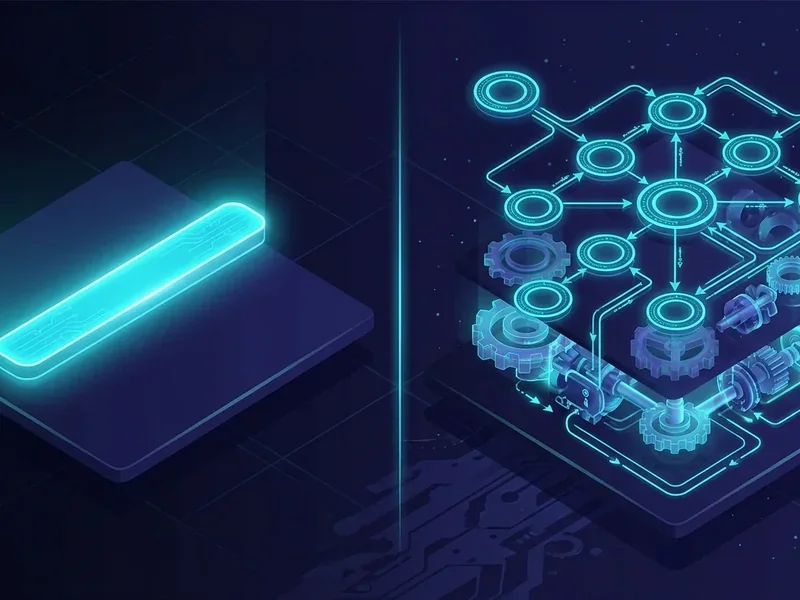
The Conceptual Ladder: Autocomplete → Copilot → Agent
Not all AI coding assistance is the same. There are three distinct levels, each with meaningfully different capabilities and risks.
Level 1 — Autocomplete. Tools like early Copilot or Tabnine predict the next token or line based on the surrounding code. They’re reactive: you type, they suggest. No memory of prior context, no reasoning about your intent.
Level 2 — Copilot-style suggestions. Modern inline assistants (GitHub Copilot, Amazon CodeWhisperer) extend autocomplete with chat interfaces, multi-line completions, and basic context awareness across open files. They still respond to a single prompt at a time and don’t take actions on your behalf.
Level 3 — Agentic coding. This is where the paradigm breaks. According to Anthropic’s research on building effective agents, agentic systems come in two forms: workflows, where LLMs and tools follow predefined code paths, and agents, where the LLM dynamically directs its own processes and tool usage. A true coding agent doesn’t just respond — it plans, executes, observes results, and adapts.
The difference matters in practice. Ask a copilot-style tool to “fix the failing tests in this repo” and it will offer suggestions. Ask an agentic AI coding assistant the same thing and it will read the test output, trace the error to its source, edit the relevant files, re-run the tests, and iterate until they pass — or tell you why it can’t.
How Coding Agents Evolved

GitHub Copilot launched in 2021 as a code completion engine trained on public repositories. It was genuinely useful — but fundamentally passive. The developer remained the executor; the AI was a fast autocomplete.
The shift toward agentic AI coding began as LLMs gained the ability to call external tools: running shell commands, reading files, querying APIs, and interpreting test output. This “tool use” capability transformed LLMs from text generators into actors that could interact with real software environments.
By 2024–2025, products like Cursor, Devin, and Claude Code began shipping agents that could autonomously navigate codebases, write and run tests, open pull requests, and handle multi-file refactors. The comparison of Cursor vs Claude Code vs Copilot illustrates how dramatically these tools now differ from their autocomplete ancestors.
Core Capabilities of Modern Coding Agents
Mature agentic AI tools for coding cover a broad surface area:
- Code generation — Writing functions, classes, or entire modules from a natural-language description, with awareness of the existing codebase’s style and dependencies.
- Debugging — Reading error output, tracing stack traces, identifying root causes, and proposing or applying fixes autonomously.
- Test writing — Generating unit and integration tests, running them, and iterating on both the tests and the implementation.
- Refactoring — Restructuring code across multiple files while preserving behavior, guided by a goal like “extract this logic into a shared utility.”
- AI code review — Analyzing pull requests for bugs, security issues, style violations, and logical errors before human reviewers see them.
According to Anthropic, coding is a particularly strong domain for agents because solutions are verifiable through automated tests. Agents can use test results as feedback signals, iterating until the code passes — a tight loop that doesn’t exist in open-ended writing or analysis tasks. Anthropic’s own coding agent can resolve real GitHub issues on the SWE-bench Verified benchmark starting from nothing but a pull request description.
How Coding Agents Work Under the Hood
The core architecture of an agentic AI coding assistant follows a plan–act–observe loop:
- Plan — The agent receives a goal and breaks it into sub-tasks, deciding which tools to invoke and in what order.
- Act — It calls tools: reading files, running commands, querying documentation, or writing code.
- Observe — It reads the output (test results, compiler errors, file contents) and updates its understanding.
- Repeat — It loops until the goal is achieved or it determines it cannot proceed without human input.
The foundation of this loop is what Anthropic calls an augmented LLM — a base language model enhanced with retrieval, tools, and memory. According to Anthropic’s research, current models can actively use these capabilities by generating their own search queries, selecting appropriate tools, and determining what information to retain across steps.
Context management is the hardest engineering problem in this loop. Agents must decide what to keep in the active context window, what to retrieve from external memory, and what to discard — all while staying within token limits. When context management fails, agents lose track of earlier decisions and produce inconsistent or broken output.
The Framework Landscape: Building Your Own Agent
If you want to build a custom agentic AI coding tool rather than use an off-the-shelf product, several open-source frameworks are worth understanding. According to Turing’s comparison of AI agent frameworks:
| Framework | Best For | Key Characteristic |
|---|---|---|
| LangGraph | Stateful, multi-step coding workflows | Cyclical graphs let agents revisit prior steps |
| CrewAI | Role-based multi-agent pipelines | Standalone Python; sequential or hierarchical execution |
| Microsoft AutoGen | Conversational multi-agent systems | Treats workflows as agent-to-agent conversations |
| Semantic Kernel | Enterprise and Microsoft ecosystem | Powers Microsoft 365 Copilot; supports C#, Python, Java |
LangGraph is part of the LangChain ecosystem but built specifically for stateful, multi-actor applications. Its cyclical graph structure allows agents to revisit previous steps and adapt — critical for debugging loops where the agent needs to try multiple approaches.
CrewAI is a standalone Python framework that assigns distinct roles and goals to each agent in a pipeline. It supports both sequential and hierarchical task execution and can integrate with LangChain tools without depending on the LangChain library itself.
Microsoft AutoGen treats multi-agent workflows as conversations between agents, supporting asynchronous messaging and human-in-the-loop checkpoints. Its main trade-off is high token consumption when running complex pipelines — costs can escalate quickly.
Microsoft Semantic Kernel is the SDK that powers Microsoft 365 Copilot and Bing. It’s modular, enterprise-ready, and designed to bridge application code and AI models through connectors.
For advanced readers — How to Build an AI Agent
Anthropic recommends starting with the simplest possible solution: call the LLM API directly before reaching for a framework. Add agentic complexity only when it demonstrably improves outcomes. Three principles should guide your design:
- Simplicity — Fewer moving parts means fewer failure modes.
- Transparency — Log every tool call and observation so you can debug agent behavior.
- Thorough tool documentation and testing — Agents are only as reliable as the tools they can call. Document each tool’s inputs, outputs, and failure modes explicitly.
A minimal coding agent needs: an LLM with tool-calling capability, a file read/write tool, a shell execution tool, and a loop that feeds tool output back into the model’s context. Start there before adding retrieval, memory, or multi-agent orchestration.
Who Benefits Most
Agentic coding tools don’t deliver equal value to everyone. The payoff depends heavily on your role and workflow.
Beginner developers benefit from agents that can explain errors in plain language, generate working starter code, and walk through debugging steps. The risk is over-reliance: accepting agent output without understanding it creates knowledge gaps that compound over time. Use agents as a tutor, not a replacement for learning.
Senior engineers get the most leverage from agents handling high-volume, low-creativity work: writing boilerplate, generating test coverage for legacy code, and doing initial passes on large refactors. Senior engineers are also better positioned to catch agent errors before they reach production.
Engineering teams benefit from agentic AI code review and automated PR triage — tasks that consume significant reviewer time without requiring deep domain expertise. For team-scale deployment, see our guide to enterprise AI coding agents for considerations around access control, audit logging, and cost management.
Risks and Limitations
Agentic systems introduce risks that don’t exist with passive autocomplete tools. The OWASP GenAI Security Project — a community of over 600 security experts across 18 countries — has catalogued the most critical ones in the OWASP Top 10 for LLM Applications (2025):
- Excessive Agency (LLM06) — When an agent is granted too much autonomy without appropriate guardrails, unchecked actions can jeopardize reliability, privacy, and trust. An agent with write access to production infrastructure and no human-in-the-loop checkpoint is a concrete example.
- Prompt Injection (LLM01) — Malicious content in files, comments, or external data sources can hijack agent behavior by overriding its instructions.
- Sensitive Information Disclosure (LLM02) — Agents that read broadly across a codebase may inadvertently expose secrets, credentials, or proprietary logic through their outputs.
- Improper Output Handling (LLM05) — Agent-generated code that isn’t validated before execution can introduce vulnerabilities or break production systems.
Beyond OWASP risks, two practical failure modes deserve attention:
Hallucination — Agents confidently generate code that references non-existent APIs, incorrect function signatures, or fabricated library behavior. Always run agent-generated code through your test suite before merging.
Context loss — In long multi-step tasks, agents can lose track of earlier decisions or constraints, producing output that contradicts prior steps. Shorter, well-scoped tasks with clear success criteria reduce this risk significantly.
How to Evaluate an Agent for Your Needs
Before committing to any agentic AI coding tool, run it against these criteria:
Task scope — Does the agent handle the specific tasks you care about (debugging, test generation, refactoring)? Check the best AI coding agents comparison for a structured breakdown by capability.
Context window and codebase size — Large monorepos can exceed an agent’s effective context. Test with your actual codebase, not toy examples.
Tool permissions model — What can the agent do without asking? Read-only access is safe; write and execute access requires careful scoping. Prefer agents that support human-in-the-loop approval for destructive actions.
Verification mechanism — Does the agent run tests to verify its own output? Agents that iterate against automated tests produce significantly more reliable results than those that generate code and stop.
Integration with your stack — Does it work with your IDE, CI/CD pipeline, and version control? Friction in the workflow reduces adoption regardless of raw capability.
Cost model — Multi-step agentic tasks consume far more tokens than single completions. Estimate costs against realistic task volumes before deploying at scale.
For a deeper look at applying these tools responsibly in production, the AI coding best practices guide covers workflow integration, review processes, and team-level governance.
Agentic coding is not a incremental improvement on autocomplete — it’s a different category of tool with different capabilities, different failure modes, and different evaluation criteria. Understanding that distinction is the first step to using these tools effectively rather than being surprised by their limits.